
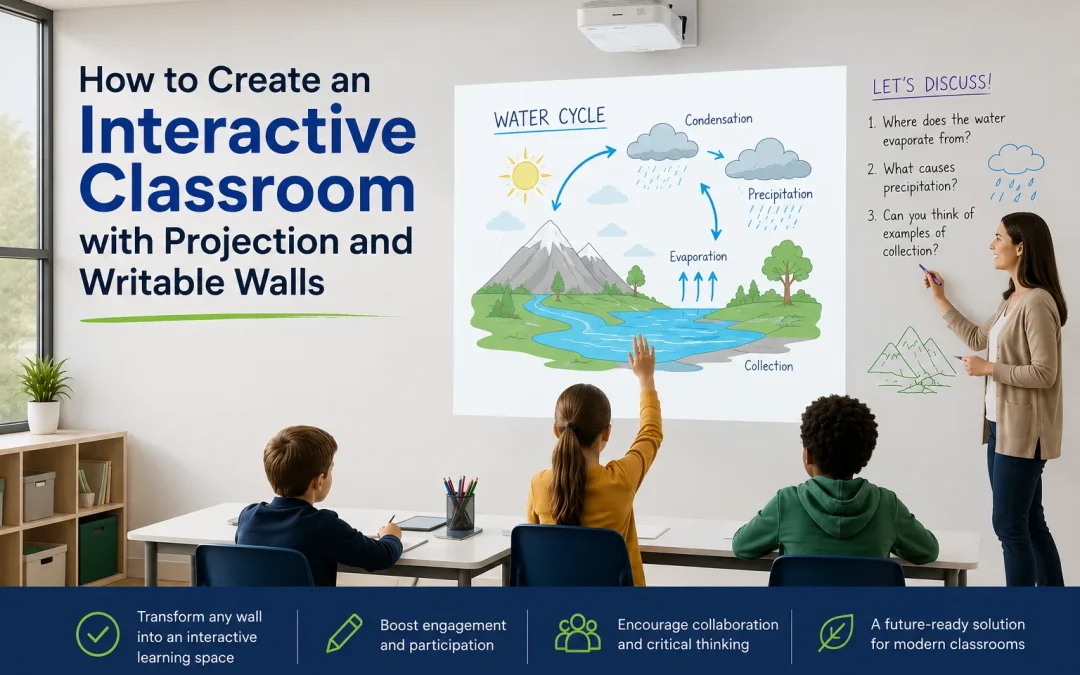
How to Create an Interactive Classroom with Projection and Writable Walls
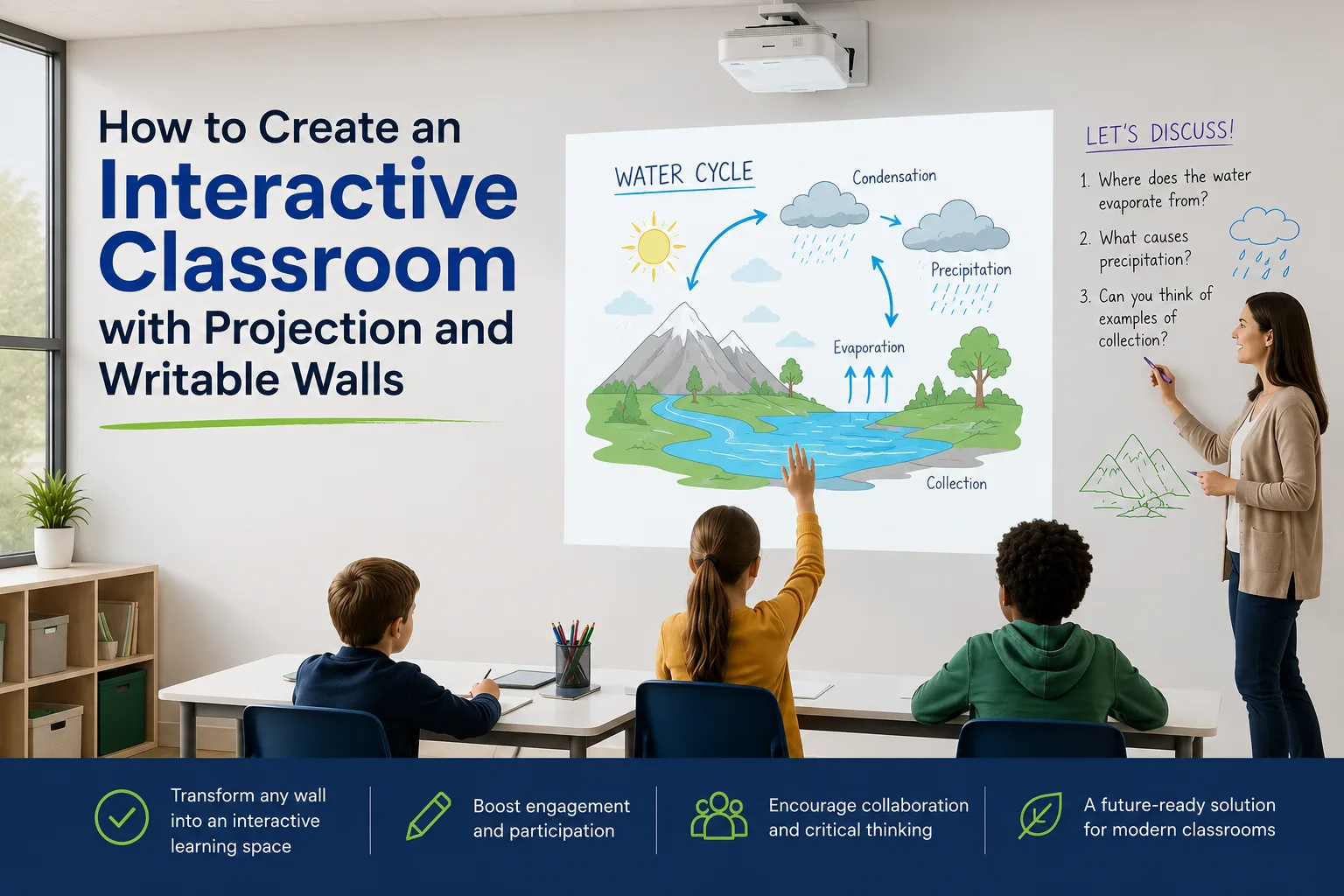
Introduction
An interactive classroom setup turns ordinary walls into teaching surfaces that students can write on and project onto. For UK schools, projection and writable walls offer a cost-effective, scalable alternative to fitting expensive panels in every room. By combining a projection wall with a writable wall, teachers gain large, flexible surfaces for active lessons across every subject. This guide explains what an interactive classroom setup involves, how to set one up, how it compares with interactive flat panels, and the benefits for education.
The coatings of each surface of Smarter Surfaces products are fire safety certified (Euroclass fire rating), and approved for commercial and educational use. The products have low VOC content, are solvent-free, and are isocyanate-free under our Green Guarantee, supporting healthier indoor air in rooms full of children.
What Is an Interactive Classroom Setup?
An interactive classroom setup is a learning space where students actively engage with lesson content rather than watching it, usually by writing and interacting on large wall surfaces. At its simplest, it pairs a projection wall with a writable wall so teachers can display, annotate, and collaborate on a single surface, making it a practical interactive classroom setup for schools across the UK.
Unlike a standard classroom built around a single fixed board, an interactive classroom uses the wall itself as the display and writing area. This removes the need for separate screens and boards, frees up floor space, and lets several students work at the wall at once. The surface can be created with projection paint, a writable coating, or a dual-purpose surface that does both.
Why Combine Projection and Writable Walls?
Combining projection and writable walls into one surface lets teachers display content and annotate it by hand at the same time, without switching between separate equipment. This dual functionality increases student participation, makes better use of wall space, and provides a flexible teaching surface suited to every subject and year group. Schools worldwide have already invested heavily in interactivity, with more than 4.6 million interactive whiteboards and 10.4 million interactive flat panels now installed in classrooms globally.
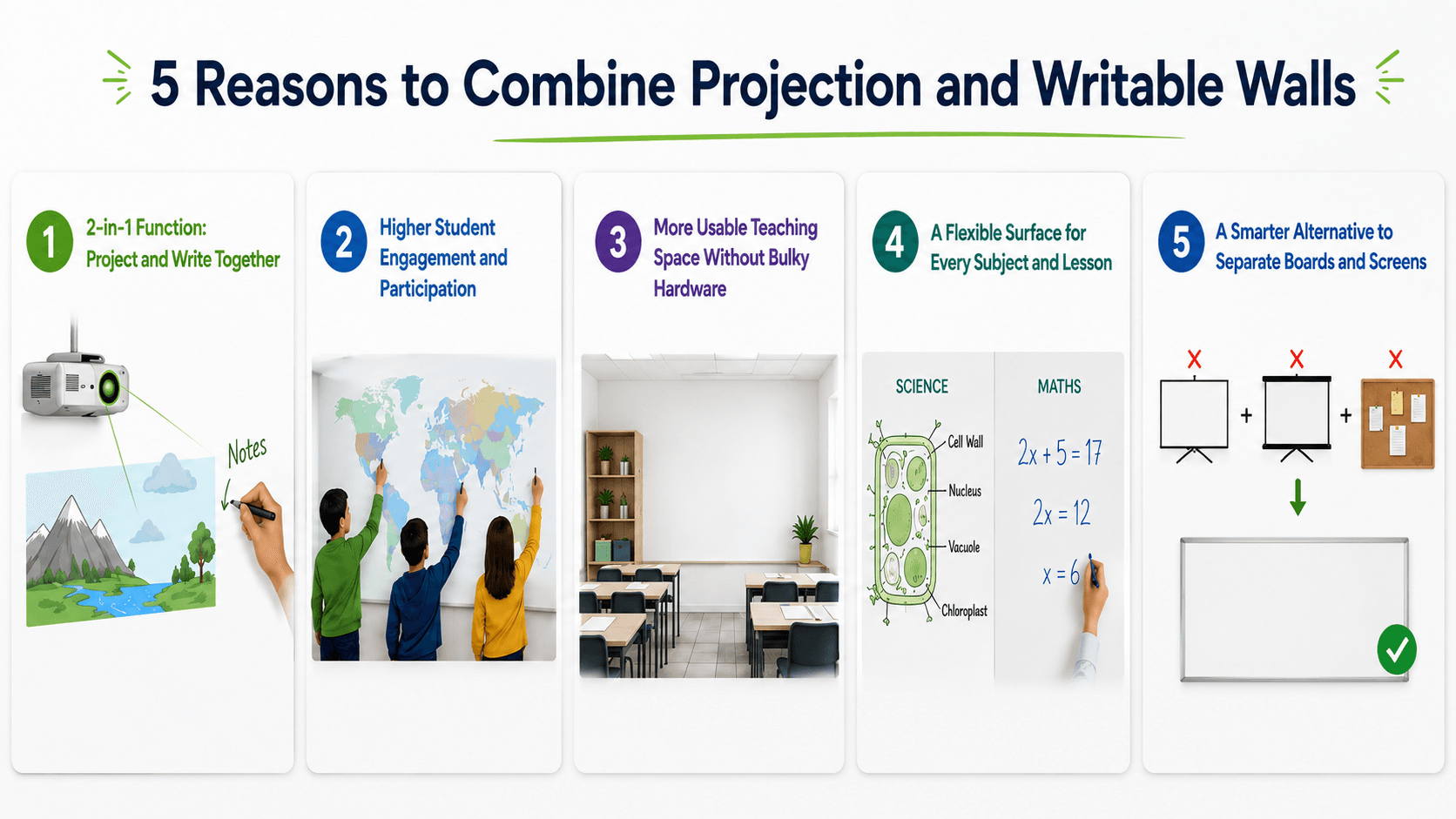
2-in-1 Function: Project and Write Together
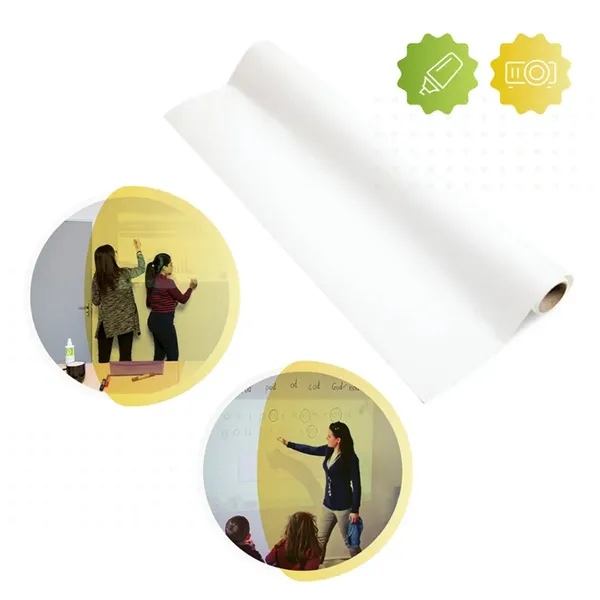
A combined surface lets you project an image and write over it with standard markers in the same place. Smarter Surfaces Projector Whiteboard Wallpaper is built for this, with a low-sheen finish that reduces glare while staying fully writable.
Higher Student Engagement and Participation
Interactive surfaces raise engagement by getting students out of their seats to write, label, and solve problems at the wall. Around 71% of teachers using interactive displays report higher engagement than with traditional projection. Similarly, UK research by Clevertouch found that 76% of educators say students are more engaged when using an interactive display.
More Usable Teaching Space Without Bulky Hardware
Turning a wall into the display removes freestanding boards and screens, freeing floor space and decluttering the teaching area. A single surface replaces several pieces of equipment competing for room.
A Flexible Surface for Every Subject and Lesson
One write-and-project wall adapts to any subject, from labelling diagrams in science to working through equations in maths. For rooms that also need to display work, a 3-in-1 magnetic projector screen whiteboard surface adds full write + magnetic + project functionality without tape or pins.
A Smarter Alternative to Separate Boards and Screens
Rather than buying a separate board, a projector screen, and a pinboard, a projection and writable wall delivers these roles on one coated surface, lowering cost and maintenance over time.
How to Set Up an Interactive Classroom with a Projector and Whiteboard Wall
To set up an interactive classroom with a projector and whiteboard wall, prepare a smooth wall, apply a projection or whiteboard surface, then position and calibrate a projector to match it.
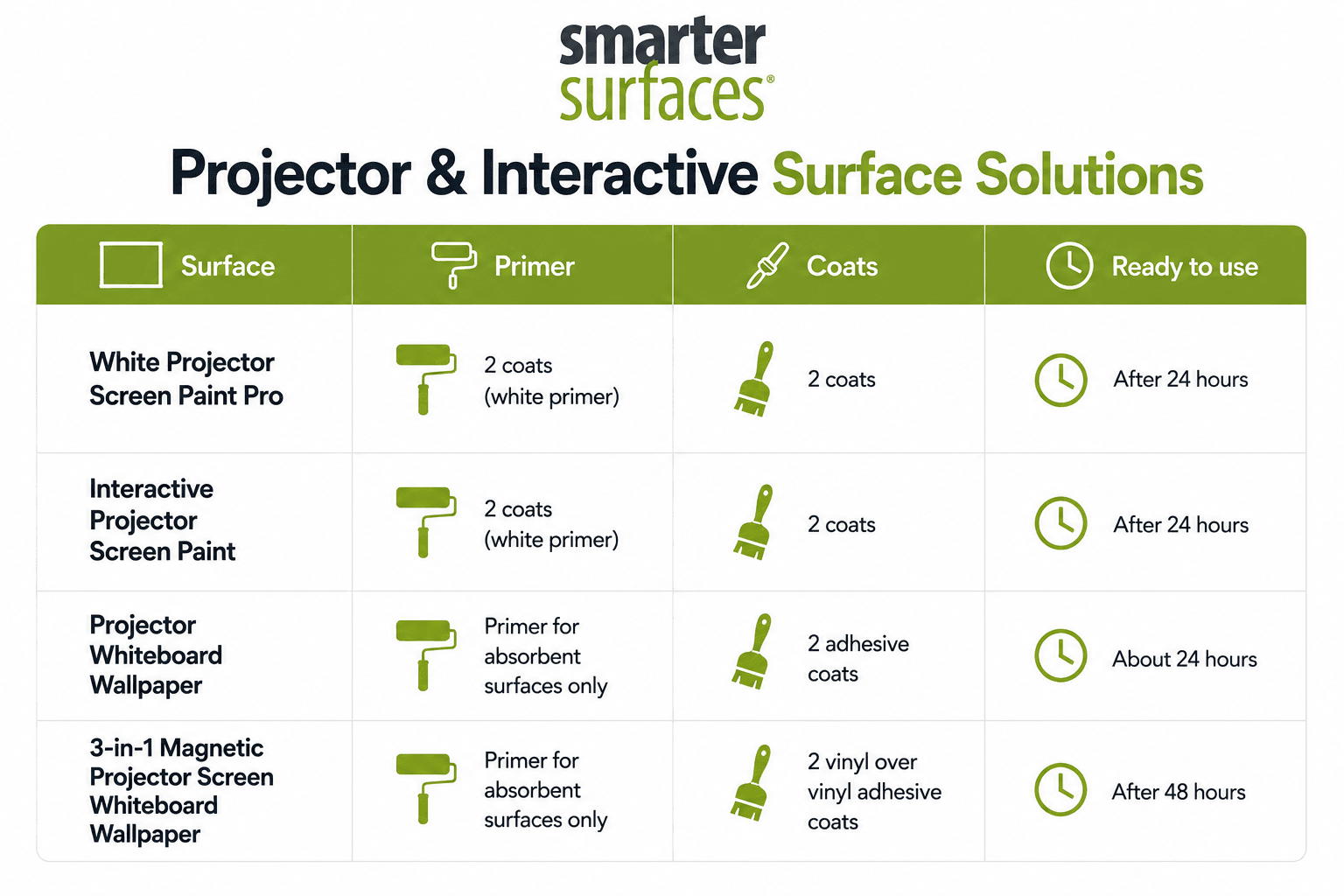
The projection wall classroom setup is simple. Most surfaces are applied in-house, with projection paints ready in around 24 hours and dual-purpose wallpapers in about 48 hours, so installation fits around lessons. Writable whiteboard paint needs up to four days to fully cure before writing. See the coats and timing table below.
Before listing the process, let's first look at the tools required.
Tools and Materials Required
- Decorator’s filler, sandpaper, and a dust cloth to prepare a smooth wall
- White primer for bare or absorbent surfaces
- A lint-free or short-pile roller and tray (supplied in Smarter Surfaces paint kits)
- Your chosen surface kit: projection paint, whiteboard paint, or projector whiteboard wallpaper
- For wallpaper: vinyl-over-vinyl adhesive, a smoothing spatula, and sharp scissors or a utility knife
- Masking tape and a spirit level to mark the projection area squarely
- A projector and mount, plus high-quality whiteboard markers and the supplied microfibre cloth
Now that we know what is required, let’s read how to create an interactive classroom setup.
Step 1: Choose and Prepare the Right Wall
Start by selecting a smooth, unobstructed wall with clear sightlines from every seat. Fill and sand any imperfections, then prime the surface so the coating adheres evenly. Choose a wall away from direct sunlight, or control glare with blinds.
Step 2: Choose Your Projection and Whiteboard Surface
Match the surface to the room's light levels and intended use. These are smart projector wall paint options for schools that need durable, large-format surfaces. The main choices are:
- White Projector Screen Paint Pro, for high-quality projection in rooms with natural light, with a gain value of 1.24 and a wide viewing angle.
- Interactive Projector Screen Paint, for touch-enabled projection when paired with an interactive projector.
- Projector Whiteboard Wallpaper, a low-sheen surface you can both project onto and write on.
- High Contrast Projector Screen Paint, for low light not completely dark. Delivers clear images day and night.
Coats and Timing by Surface
Step 3: Turn a Classroom Wall into a Projector Screen
To turn a classroom wall into a projector screen, apply two coats of projection paint over the primer and allow it to cure. Once dry, the wall performs as a full-size screen with no frame or fabric required. Smarter Surfaces projection paints are ready to use 24 hours after application.
Step 4: Position and Calibrate the Projector
Mount the projector at the manufacturer's recommended throw distance and align it squarely with the coated area. Adjust the angle to remove any hotspots or shadows, and use keystone correction so the image fits the surface precisely.
Step 5: Set Up for Daily Interactive Teaching
Equip the room with quality whiteboard markers and a microfibre cloth, and establish a simple weekly cleaning routine using a dry erase cleaner. Pairing the wall with an interactive projector lets students control content directly on the surface.
Common Mistakes to Avoid While Setting Up an Interactive Classroom Setup
- Applying to a textured or uneven wall. Any bumps show through and cause hotspots, so fill and sand first.
- Skipping primer on bare or absorbent walls, which weakens adhesion and finish quality.
- Choosing a glossy write-only surface for a projection wall, which causes glare and hotspots. Use a low-sheen surface instead.
- Cleaning with alcohol-based products, which shortens the surface’s life. Use a standard whiteboard cleaner.
Troubleshooting Your Projection and Writable Wall
- Image Looks Washed Out In Daylight
Check the projector meets the surface's minimum brightness (1,500 lumens for Projector Screen Paint Pro) and fit blinds, or switch to a High Contrast or ambient-light-rejecting finish.
- A Bright Hotspot Appears In The Image
This usually means the surface sheen is too high or the projector angle is too steep; use a low-sheen surface and adjust the mounting angle and keystone correction.
- Marker Ghosting Or Staining
Confirm the surface has completed its full cure time before first use, and clean weekly with a whiteboard cleaner rather than household sprays.
- Peeling Or Patchy Finish
This is almost always a missing primer coat on an absorbent wall; sand back the affected area, prime it, and reapply the topcoat.
Explore Smarter Surfaces Projector Screen Paint Pro and turn any classroom wall into a high-performance projection surface at a fraction of the cost of fixed panels.
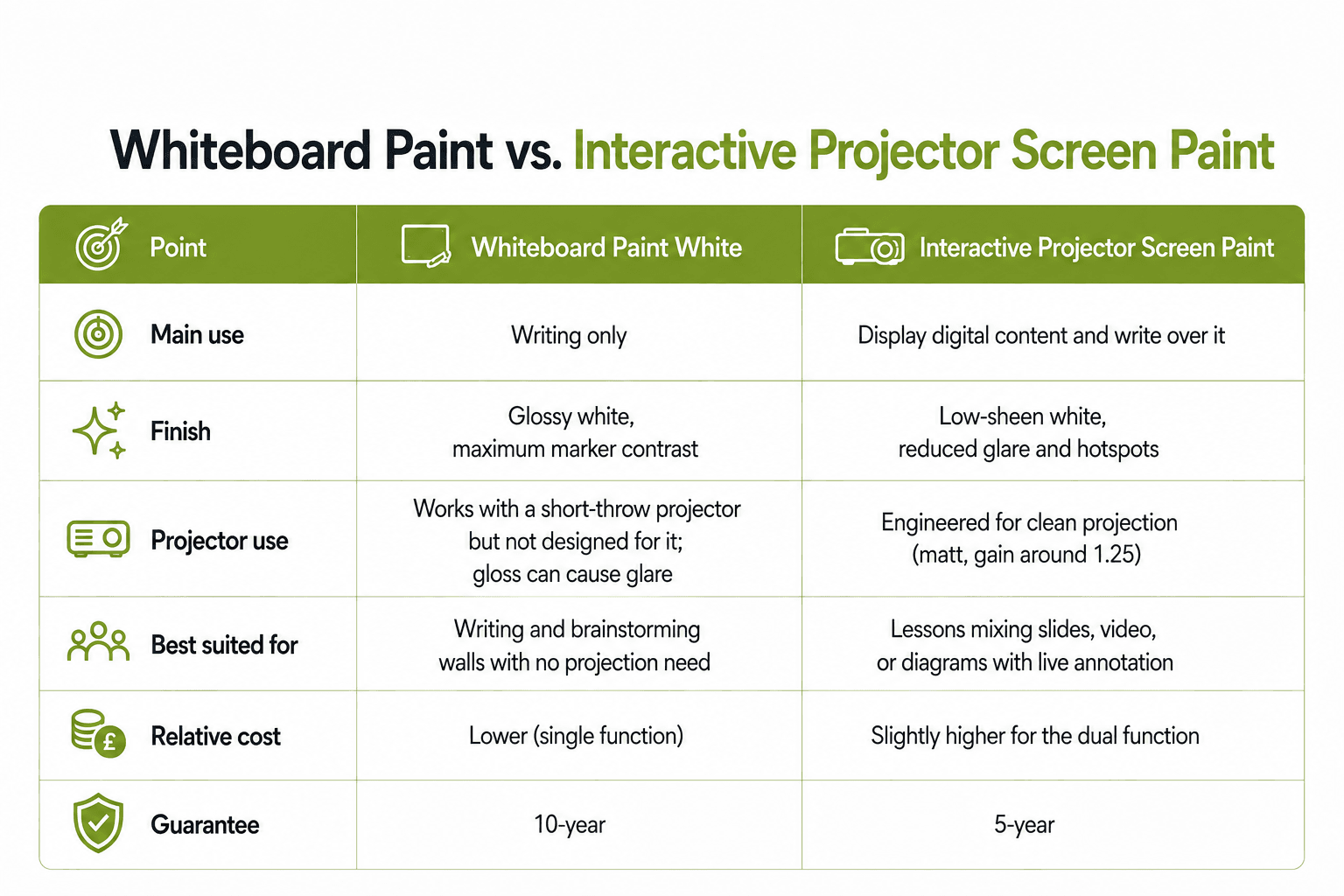
Whiteboard Paint White vs Projection Whiteboard Wall: Which Does Your Classroom Need?
Before choosing a surface, decide whether the room needs to write only or to write and project. A writable wall has a gloss finish and is built purely for writing, while a projection whiteboard wall has a low-sheen finish engineered for projection and writing. Choosing the wrong one is the most common and most expensive early mistake.
Ready to upgrade your experience? Shop Smarter Surfaces’ top-rated products today.
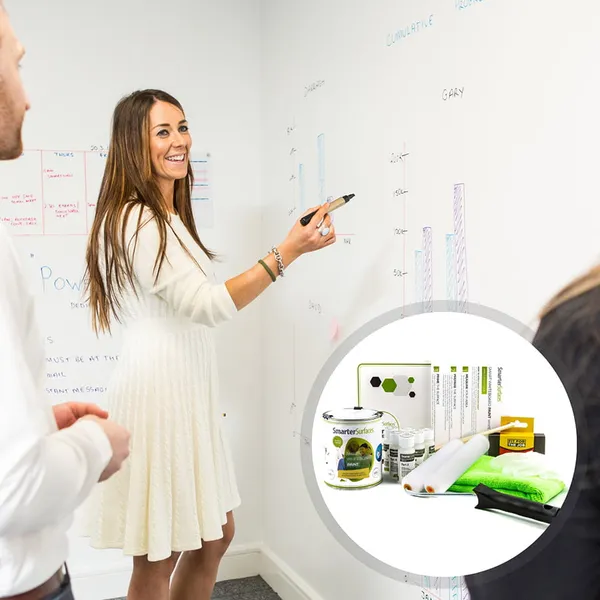
Whiteboard Paint White
From £85.00 ex.VAT
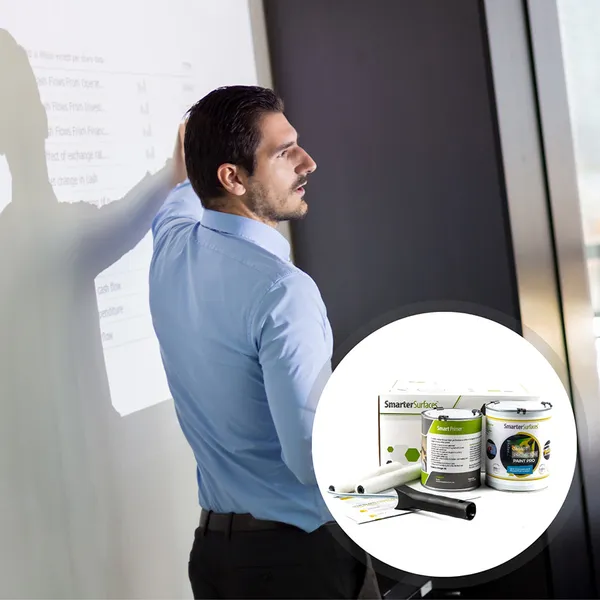
White Projector Screen Paint Pro
From £171.00 ex.VAT
Projector Whiteboard Wallpaper
From £134.00 ex.VAT
Interactive Flat Panel vs Projection Wall for Your Classroom
When weighing an interactive flat panel vs a projection wall for the classroom, the main differences are cost, scale, and surface size. An interactive flat panel is a fixed touchscreen that offers plug-and-play touch in bright rooms. While, a projection wall turns the wall itself into a much larger projected and writable surface at a lower cost per classroom, making it more scalable across a school.
According to Global Market Insights, the interactive flat panel market was valued at USD 12.6 billion in 2024 and continues to grow at over 7.5% annually, driven largely by the education sector. Both technologies have a place; the table below compares them for classroom use.
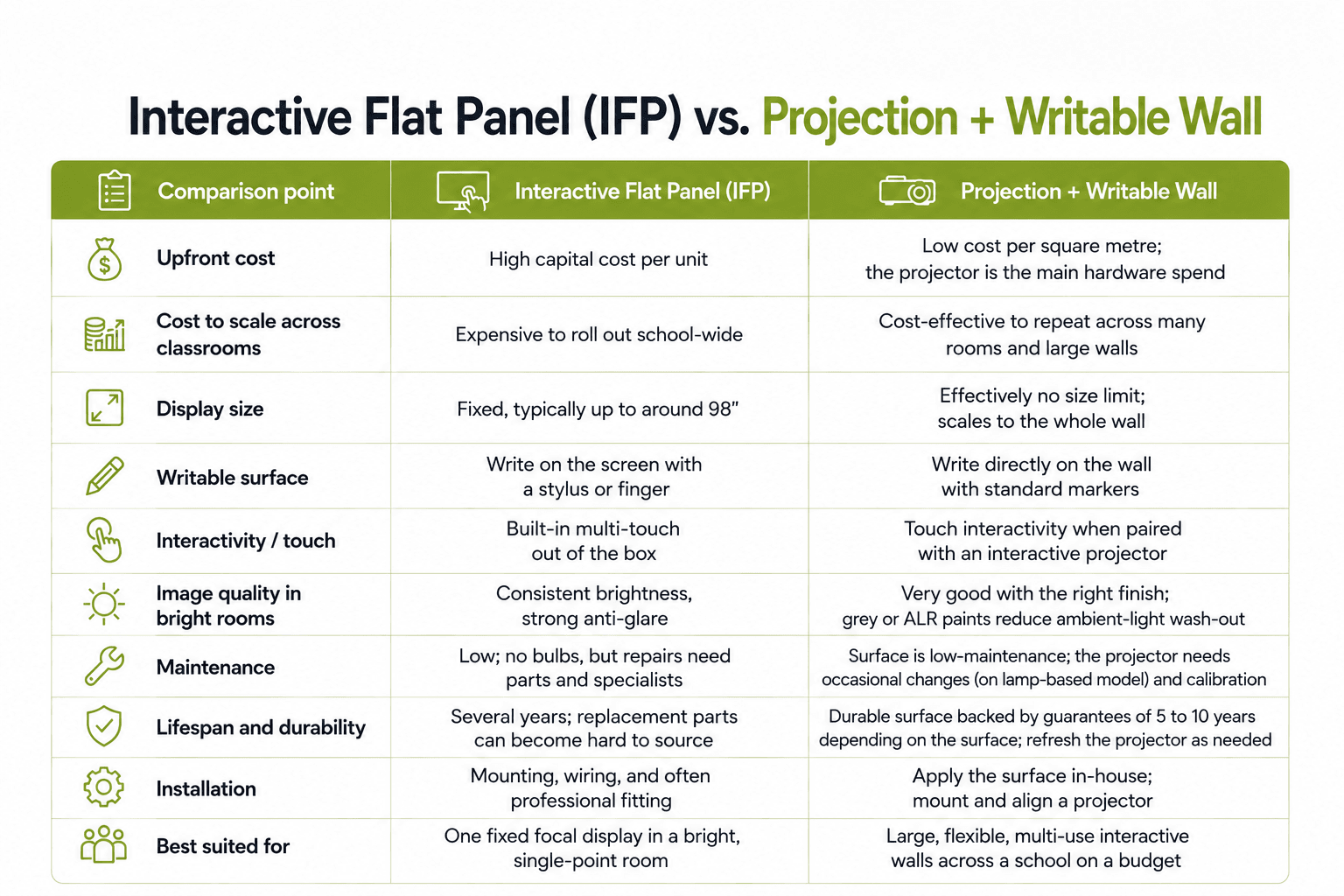
An interactive flat panel is the simplest plug-and-play option for a single bright-room focal point, while a projection and writable wall gives schools far more surface area, dual write-and-project use, and a lower cost per classroom, making it the more scalable choice for whole-school interactive setups.
Exact costs vary by kit size, so check the live product pages, where every Smarter Surfaces kit lists a starting-from price and the coverage it delivers. The table below compares the five surfaces most relevant to an interactive classroom by starting kit, coverage, finish, cost, and main use.
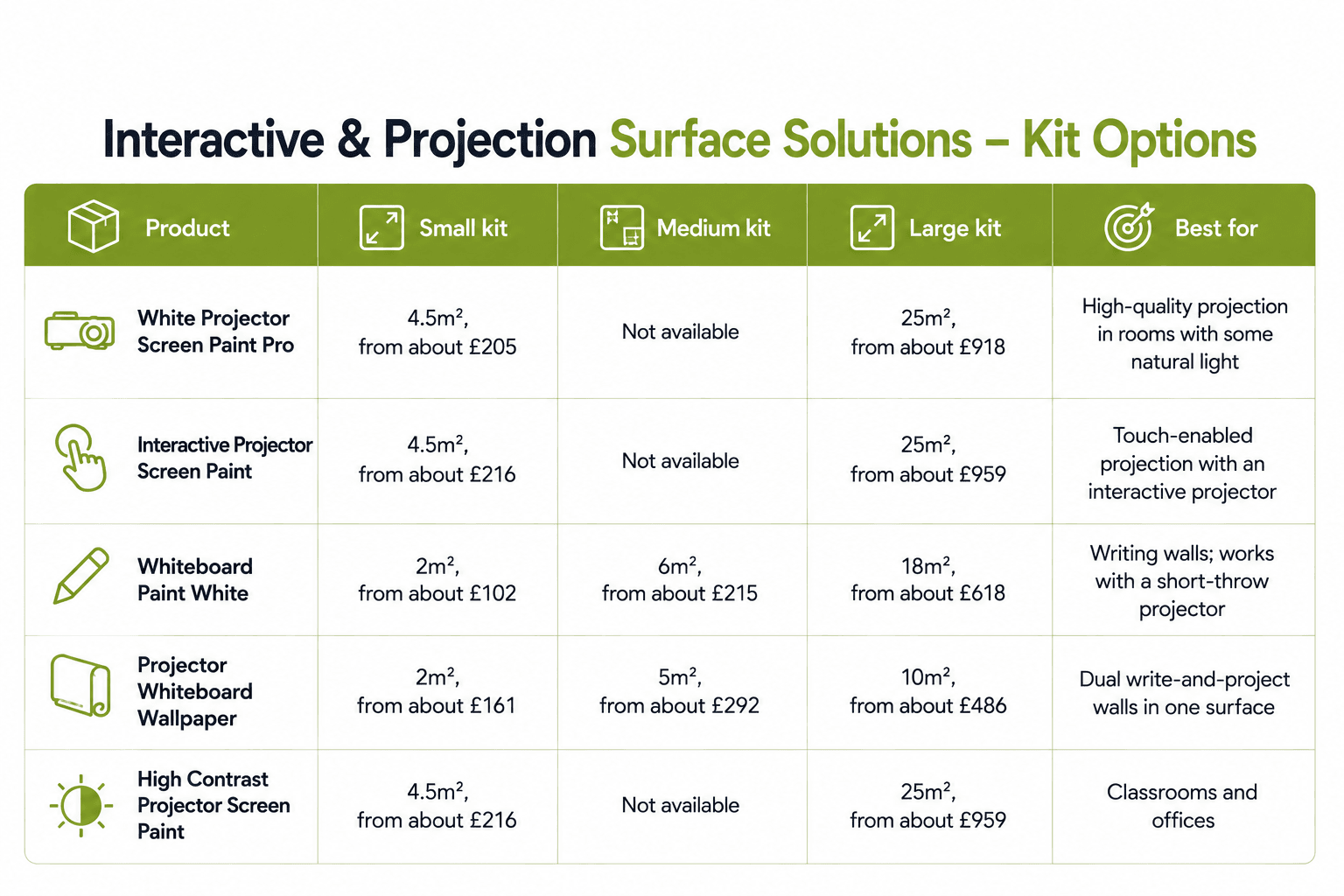
The smaller projection kits (4.5m²) suit a single classroom wall, while the 25m² paint kits and 10m² wallpaper rolls are more cost-effective per square metre when equipping several rooms at once.
For more on this, see the Smarter Surfaces guide to the benefits of projectors in education.
Interactive Classroom Design Ideas by School Type
This section breaks down interactive classroom design ideas by school type, so you can plan a space that fits the age group, the curriculum, and the way teachers in that setting actually work.
Early Years and Kindergarten: Design for Movement and Touch
Children aged three to five learn through physical exploration, so interactive surfaces belong at child height, within the bottom 1.2 metres of the wall. A low writable wall zone supports drawing and letter formation, while a magnetic wall lets staff set up letter tiles, number lines and matching games children can rearrange. Choose low-VOC, certified coatings and keep all zones within easy reach of small hands.
Primary Schools: Flexible Zones for Whole-Class and Group Work
Primary classrooms switch between whole-class, group and independent work several times a day, so flexibility is the design priority. A full-height writable wall gives teachers a larger teaching surface and a space where students solve problems in front of the class. While magnetic walls display work and timetables without pins or tape. Lightweight, reconfigurable tables and a glare-free projection surface complete the room.
Secondary Schools: Subject-Specific Interactivity
At secondary level, classroom design should follow the subject rather than a single template. Maths and science rooms gain most from full writable walls where students stand and solve problems in groups, humanities rooms combine writable planning space with magnetic display zones, and art rooms need durable, pin-free magnetic walls for rotating exhibitions. Movable seating lets every room shift between instruction, debate and group work in one period.
Sixth Form and Further Education Colleges: Prepare for the Workplace
Post-16 spaces should resemble the universities and offices students are moving towards. Seminar-style layouts surrounded by writable walls let any group stand, work through a problem, photograph the wall and wipe it clean for the next class. A projector-ready presentation zone gives students a professional setting to practise the presenting skills most courses now assess.
Universities and Higher Education: Active Learning at Scale
Higher education is shifting from lecture delivery to active learning, and room design follows. With grouped tables and writable walls, even a class of 60 can run multiple group discussions at once and everyone's working stays on display. Writable corridors, columns and study rooms extend collaboration beyond the timetable, while painted projection surfaces solve sightline problems in wide lecture theatres.
SEN and Specialist Settings: Interactivity Without Overload
Special educational needs (SEN) classrooms need to be engaging without causing sensory overload. Clear or low-sheen writable coatings keep walls functional without visual noise, and can even be applied over a calm existing wall colour. Magnetic surfaces support visual timetables and now-and-next boards that staff adjust in seconds, while muted palettes, matt finishes and quiet corners help students self-regulate.
Design Principles That Apply to Every School Type
Whatever the setting, the same rules hold: plan surfaces before furniture, since walls are the largest unused asset in any classroom; match the height of every interactive zone to its users; specify certified, guaranteed, low-VOC materials that survive daily use; and design for reset, so walls wipe clean and tables move back in minutes for the next lesson.
| Want a projection board instantly for your class? Order Projector Whiteboard Wallpaper to create a write-and-project classroom wall in a short span of time. |
Benefits of Projection and Writable Walls in Education
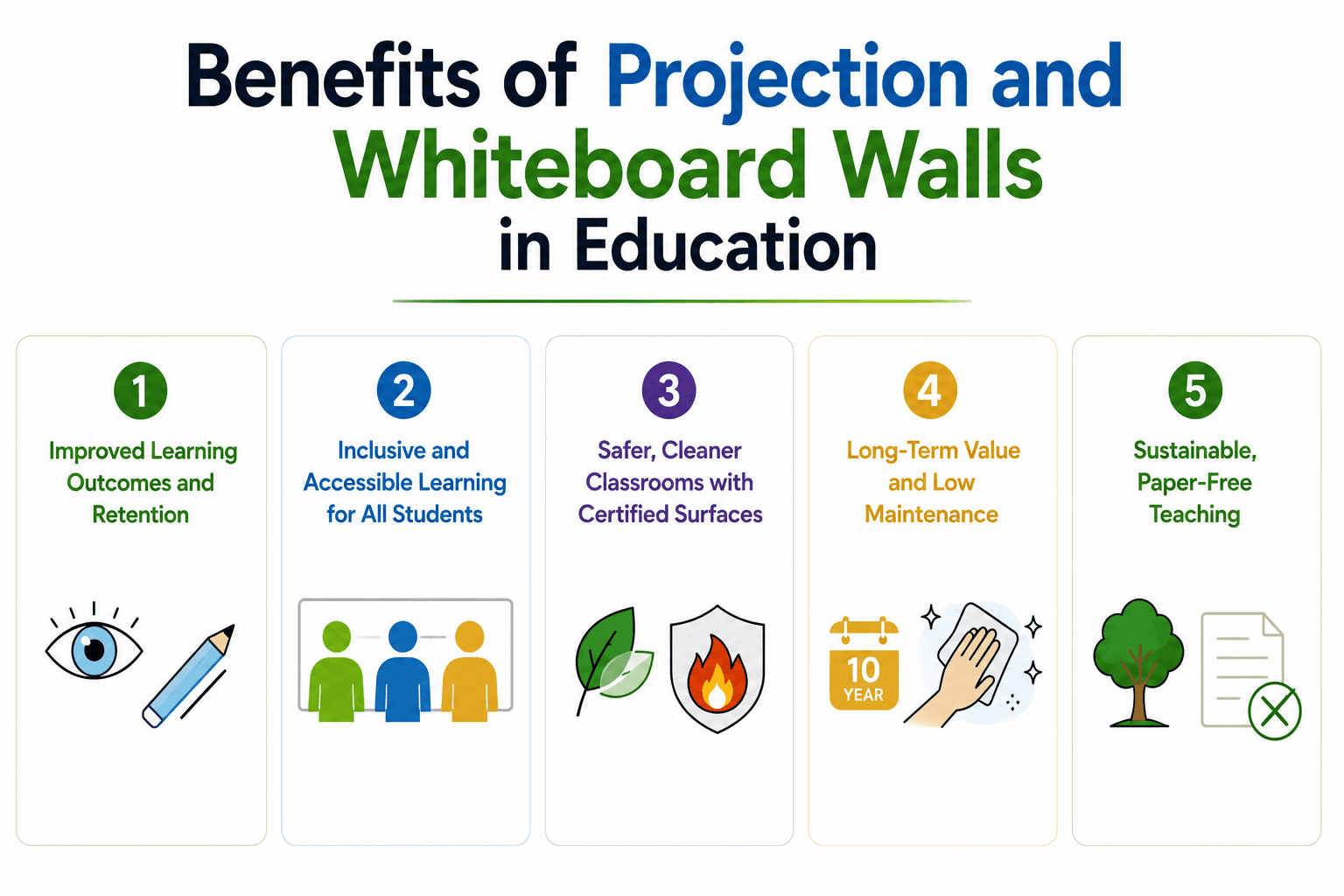
Projection and writable walls deliver benefits beyond engagement, including improved retention, inclusivity, safety, sustainability, and long-term value. Because the surface is applied directly to the wall, schools gain large, durable, low-maintenance teaching areas that meet UK fire and air-quality standards and last for years.
Improved Learning Outcomes and Retention
Large visual surfaces help students absorb and retain information, since most classroom learning is visual. Researchers estimate around 80% of classroom learning is visual. Writing and projecting on the same wall reinforces concepts through both demonstration and practice.
Inclusive and Accessible Learning for All Students
Wall-sized surfaces let several students work together at once and suit a range of learning needs, including SEN. Low-sheen finishes reduce glare for clearer visibility across the room.
Safer, Cleaner Classrooms with Certified Surfaces
Smarter Surfaces coatings are low-VOC, solvent-free, and isocyanate-free, supporting healthier indoor air, and carry independent fire certification for use in public buildings. This makes them well suited to school environments.
Long-Term Value and Low Maintenance
For interactive classroom walls UK schools can rely on, painted and papered surfaces need little upkeep beyond routine cleaning and are backed by a 10-year guarantee. Only the projector requires occasional maintenance such as lamp changes.
Sustainable, Paper-Free Teaching
Projecting and writing directly on the wall reduces printing and paper waste, supporting schools' sustainability goals while lowering consumable costs.
Learn about the benefits of Interactive Whiteboards in classrooms and why schools are adopting it. |
Conclusion
An interactive classroom setup built on projection and writable walls gives UK schools a cost-effective, scalable way to modernise teaching without filling every room with expensive hardware.
By combining a high-quality projection surface with a writable wall, teachers create large, flexible spaces that engage students, suit every subject, and last for years with low maintenance.
Whether you start with projection paint, a writable coating, or a dual-purpose surface, the wall becomes your most versatile teaching tool.
Table of Contents
Turn Your Wall Into a Smarter Workspace
Upgrade your space with high-performance surface solutions built for productivity.
Try before you buy
Unsure which is the right product for you?
Then choose one of the sample pack options below to try before you buy.
Talk to an Expert
Not sure which projector paint suits your wall?
Get free advice from our surface specialists.
Case Studies


About Author
Sonia Bueno is Senior Manager at Smarter Surfaces, leading sales operations, customer experience, and distributor partnerships globally. With extensive experience supporting education, office, and commercial projects, she shares practical insights on whiteboard paint, magnetic paint, and functional surface solutions to help organisations make informed specification decisions
FAQ's
What is the best paint for an interactive classroom projection wall?
The best paint for an interactive classroom projection wall depends on the room's light levels. Projector Screen Paint Pro gives the brightest image in rooms with natural light, while a dual-purpose Projector Whiteboard Wallpaper suits classrooms that need to both project and write on the same surface. For touch control, choose an interactive projector screen paint
What type of projector works best with a projection wall?
Standard, short-throw, and interactive projectors all work with a projection wall. Choose an interactive projector screen paint if you want students to control content by touching the surface, and an ultra-short-throw model to reduce shadows in smaller classrooms. Match the projector's brightness to the room's ambient light for the clearest image.
Canp rojector screen paint be applied over wallpaper?
Yes, it can be applied. But, it's genuinely not recommended because wallpaper texture – even seemingly smooth vinyl – creates surface irregularities that show up as imperfections in projected images.
If you want to paint over wallpaper, it needs to be completely smooth, firmly adhered with no bubbles or lifting edges, and ideally sealed with a primer first.
Is a writable projection wall for primary school classroom a good choice?
Yes, a writable projection wall is well suited to a primary school classroom. Low, large surfaces let young students write and draw directly at the wall, and low-sheen, low-VOC finishes keep glare and fumes to a minimum. The surface works with the standard markers schools already use.
s a classroom projection and whiteboard wall a cost-effective option for UK schools?s a classroom projection and whiteboard wall a cost-effective option for UK schools?
In small rooms, the most effective interactive classroom design ideas use the wall itself instead of freestanding equipment. Converting one wall into a combined projection and writing surface frees floor space and gives a clear teaching focal point without extra furniture.
What are some interactive classroom setup ideas for secondary schools?
Interactive classroom setup ideas for secondary schools include projecting exam questions for students to solve on the wall, building large revision mind-maps, and annotating scientific diagrams during demonstrations. The wall's size lets more students work at once than a single board allows.
Do projection walls work in bright classrooms?
Projection walls can work well in bright classrooms with the right surface. Grey or ambient-light-rejecting projection finishes reduce wash-out from daylight, and controlling glare with blinds improves clarity further. For very bright, single-point rooms, an interactive flat panel may be the better fit.
How long does an interactive classroom wall surface last?
Projection walls can work well in bright classrooms with the right surface. Grey or ambient-light-rejecting projection finishes reduce wash-out from daylight, and controlling glare with blinds improves clarity further. For very bright, single-point rooms, an interactive flat panel may be the better fit.
Can a projection and writable wall be installed without disrupting lessons?
In most cases, yes. Many projection and writable surfaces are applied in-house and are ready to use within roughly 24 to 48 hours, so installation can be scheduled around weekends or holidays. This lets schools upgrade classrooms with minimal disruption.
Is a classroom projection and whiteboard wall a cost-effective option for UK schools?
Yes. A classroom projection and whiteboard wall is a cost-effective choice for UK schools because the surface covers large areas at a low cost per square metre and scales easily across many rooms. The coatings also meet UK fire and VOC standards and are backed by a 10-year guarantee.