Benefits of Projectors in Education for Better Learning Environments

Benefits of Projectors in Education for Better Learning Environments

Benefits of Projectors in EducationTable of Contents
  1. Introduction
  2. Why Projectors Remain Relevant in Modern Classrooms

  3. How Projectors Improve Learning and Retention

  4. Interactive Projectors for Schools
  5. Projector vs Smartboard in Education
  6. Accessibility and Cost Efficiency
  7. Classroom Projector Solutions for 2025
  8. How Projectors Improve Student Engagement
  9. Practical Use Cases of Projectors in Education
  10. Best Practices for Schools Choosing Projector Solutions
  11. Final Thoughts

The role of technology in education has transformed rapidly, yet some tools remain consistently valuable. One such tool is the classroom projector. Far from being outdated, projectors continue to provide schools and universities with cost-effective and versatile teaching solutions.

The benefits of projectors in education extend beyond simply displaying visuals; they facilitate collaboration, enhance engagement, and make learning accessible to diverse groups of students.For educators, administrators, and decision-makers, understanding the value of projectors helps in creating a balanced technology strategy. This article explores why projectors in education remain an essential resource in 2025 and how they compare to other modern teaching tools.

Why Projectors Remain Relevant in Modern Classrooms

ProjectorsAs digital transformation accelerates, schools are increasingly integrating tablets, smartboards, and interactive panels into classrooms. While these tools have value, projectors continue to offer unique advantages.Modern teaching tools projectors, provide flexibility that permanent installations, such as smartboards, cannot match. Projectors can transform any flat surface, walls, screens, or even interactive projector screen paint, into a learning space. This adaptability makes them particularly useful in smart classroom environments where space, cost, and scalability matter.Another reason projectors remain relevant is their ability to serve both small classrooms and large lecture halls. Unlike single-screen devices, projectors scale easily, ensuring every student has a clear view of the content. Their long-term viability, combined with cost efficiency and low maintenance, keeps them at the forefront of educational technology.

How Projectors Improve Learning and Retention

How Projectors Improve Learning and Retention One of the strongest benefits of projectors in education is their impact on student learning and retention. Studies show that learners absorb information better when concepts are presented visually. Projectors allow teachers to display diagrams, presentations, videos, and interactive simulations that make complex subjects easier to understand.For example, how projectors improve retention in middle school classroom is evident when abstract subjects like mathematics or science are presented visually. Instead of relying on textbooks alone, teachers can use projectors to demonstrate real-life applications and reinforce memory through repetition.In addition, projectors support different learning styles. Visual learners benefit from diagrams and videos, while auditory learners engage better with combined audio-visual material. This flexibility makes projectors a valuable tool for inclusive classrooms where learning differences must be addressed.

Interactive Projectors for Schools

Interactive Projectors for SchoolsPicture an entire wall like an iPad where students are literally touching the wall and it responds like a iPad its impressive to see and highly engaging.The rise of interactive projectors for schools has taken classroom engagement to the next level. Unlike traditional projectors, interactive models allow students and teachers to write, draw, and manipulate digital content directly on the projection surface.The interactive projector classroom benefit lies in increased participation. Students can really get involved engaging with each other, collaborating on problem-solving tasks, annotate shared materials, and contribute ideas in real time. This hands-on approach helps reinforce understanding and builds confidence.For educators, interactive projectors simplify lesson delivery. Instead of switching between devices or writing manually on whiteboards, they can smoothly present and interact with digital content. In many cases, interactive projectors are also more cost-effective than equipping every student with personal tablets.Being able to draw down the latest software directly makes it easy for teachers to stay on point with content and innovation.

Ready to upgrade your experience? Shop Smarter Surfaces' top-rated products today.

[siteorigin_widget class="SiteOrigin_Widget_Image_Widget"][/siteorigin_widget]
[siteorigin_widget class="SiteOrigin_Widget_Button_Widget"][/siteorigin_widget]
[siteorigin_widget class="SiteOrigin_Widget_Image_Widget"][/siteorigin_widget]
[siteorigin_widget class="SiteOrigin_Widget_Button_Widget"][/siteorigin_widget]
[siteorigin_widget class="SiteOrigin_Widget_Image_Widget"][/siteorigin_widget]
[siteorigin_widget class="SiteOrigin_Widget_Button_Widget"][/siteorigin_widget]

Projector vs Smartboard in Education

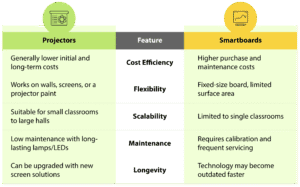
When schools consider new teaching technology, the choice often comes down to a projector vs a smartboard in education. Both tools aim to enhance learning, but their strengths differ. Here is a quick comparison:Projector vs Smartboard in EducationFrom a financial and practical standpoint, cost-efficient classroom projectors offer better return on investment, especially for schools managing multiple rooms. While smartboards can be useful in smaller, high-tech environments, projectors provide the broader, more scalable solution.
Accessibility and Cost Efficiency

In modern education, accessibility is as important as technology. Projector accessibility in classrooms ensures that every student, regardless of where they sit, can clearly view the lesson content. This visibility is particularly beneficial in larger classrooms or auditoriums.Projectors are also inclusive for students with special needs. Teachers can adjust screen size, brightness, and contrast to support students with visual or cognitive challenges. Combined with assistive software, projectors become a powerful accessibility tool.Financially, cost-efficient classroom projectors are an attractive choice. Compared to alternative educational technologies, projectors have lower installation costs and reduced maintenance needs. Many models today are low-maintenance projectors for education, with lamp-free designs that last longer. This durability significantly reduces the total cost of ownership for schools.

Classroom Projector Solutions for 2025

Classroom Projector Solutions With the education sector evolving, schools now require adaptable and future-proof technology. Classroom projector solutions in 2025 include a variety of models, from standard projectors to products like ultra-short-throw projector screen paint.Modern applications extend beyond traditional projector screens. Smarter Surfaces projector screen solutions, including projector screen paints and wallpapers, allow schools to transform entire walls into interactive learning spaces. These solutions eliminate the need for bulky screens, creating smooth and modern teaching environments.Whether for small classrooms, large lecture halls, or multipurpose training rooms, projectors continue to serve as versatile educational technology. Their ability to integrate with existing systems and adapt to new learning methods makes them an essential investment.

How Projectors Improve Student Engagement

Engagement is one of the most critical elements of effective learning. In the UK and globally, educators consistently ask: how do projectors improve student engagement in schools?The answer lies in visual stimulation and collaboration. Projectors allow teachers to integrate videos, interactive exercises, and real-time digital content into lessons. Students engage better when lessons are dynamic and visually appealing, compared to static textbooks or lectures.In group activities, projectors also encourage teamwork. Students can present projects, share findings, and collaborate using projected displays. In hybrid or blended classrooms, projectors make it easy to share content across in-person and remote learners simultaneously.By transforming lessons into interactive experiences, a smart classroom projector helps bridge the gap between traditional teaching and digital engagement.

Practical Use Cases of Projectors in Education

The versatility of educational technology projectors makes them suitable for various levels of learning. In each of these environments, modern teaching tools projectors, support both educators and students by making lessons more impactful and accessible.

Primary Education

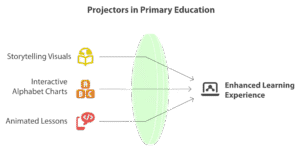
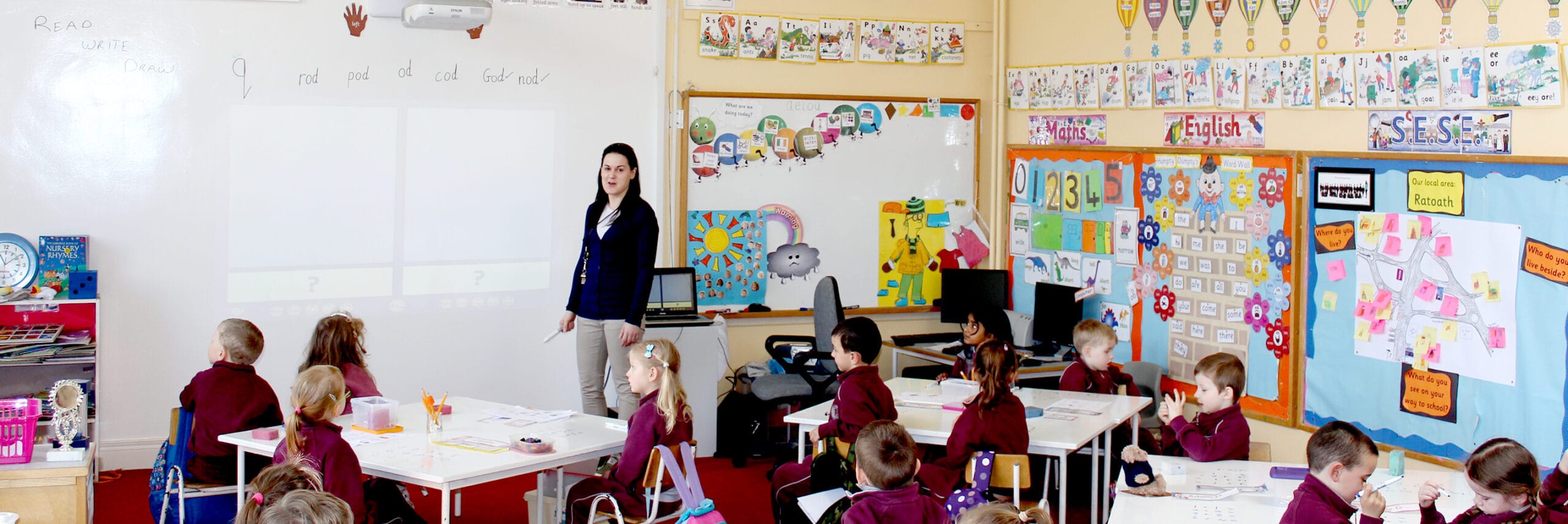
Projectors in Primary EducationIn primary classrooms, projectors make lessons more engaging by displaying storytelling visuals, interactive alphabet charts, and animated lessons. These dynamic tools help capture young learners’ attention and support early literacy and numeracy development.

Secondary Education

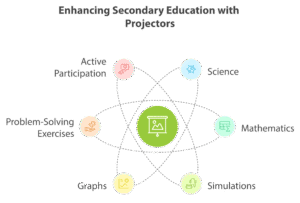
Projectors in Secondary EducationFor secondary students, projectors enhance complex subjects such as science and mathematics. Teachers can display simulations, graphs, and problem-solving exercises that simplify abstract concepts and encourage active participation.

Higher Education

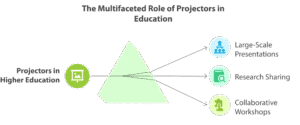
Projectors in Higher Education In universities and colleges, projectors are essential for lecture halls and seminar rooms. They support large-scale presentations, research sharing, and collaborative workshops, ensuring information is delivered clearly to all students.

Best Practices for Schools Choosing Projector Solutions

For administrators making purchasing decisions, selecting the right projector solution requires careful consideration. By focusing on scalability, efficiency, and long-term cost savings, schools can select projector solutions that align with both educational and financial goals. There are some factors to assess, including:Best Practices for Schools Choosing Projector Solutions

  • Room Size & Layout: Large lecture halls need high-lumen projectors for clarity, while smaller classrooms are best served by ultra-short-throw models to reduce glare.
  • Maintenance & Longevity: Select low-maintenance projector solutions with extended lamp life to lower operational costs.
  • Integration with Learning Tools: Ensure the projector is compatible with existing digital platforms, software, and interactive classroom technologies.
  • Screen Alternatives: Evaluate cost-efficient options such as projector screen paint or wallpapers, which save space and offer modern flexibility compared to traditional projector screens.

Final Thoughts 

The benefits of projectors in education are clear: they are versatile, cost-efficient, and highly effective in enhancing learning. In 2025, projectors will remain one of the most practical and scalable classroom technologies, offering schools the ability to engage students, improve retention, and deliver inclusive education.As schools look toward modernising teaching spaces, classroom projector solutions, paired with innovations like Smarter Surfaces projector screen solutions, provide the flexibility and long-term value required for today’s smart classrooms. For educators and administrators seeking reliable, low-maintenance, and cost-effective technology, projectors continue to be one of the best investments in modern education.
[siteorigin_widget class="WP_Widget_Custom_HTML"][/siteorigin_widget]
Best Projector Wall Paint for Outdoors – Step-by-Step Guide

Best Projector Wall Paint for Outdoors – Step-by-Step Guide

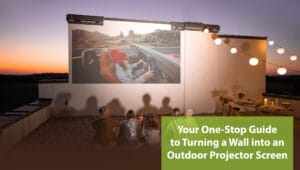
Guide to Turning a Wall into an Outdoor Projector Screen

  1. Introduction
  2. How To Make An Outdoor Projector Screen: A Step-By-Step Guide
  3. Common Mistakes to Avoid While Applying Projector Wall Paint for Outdoors
  4. Key Features of Smarter Surfaces Projector Wall Paint For Outdoors
  5. How To Use an Outdoor Projector Screen for Backyard – Daytime and Night
  6. Safety Tips for the Best Outdoor Projector Screen Setup
  7. Benefits of Having a Projector Wall Paint For Outdoors
  8. Key Takeaway
  9. FAQs

A Complete Guide to Turning a Wall into an Outdoor Projector Screen

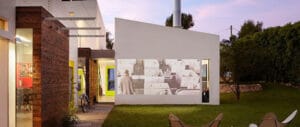
An outdoor projector screen is a weather-resistant surface designed for displaying videos or images in outdoor settings. A large wall made of concrete, wood or glass, or a temporaryportable screen, you can turn any surface into an outdoor projector screen with the best outdoor projector paint.

This comprehensive guide walks you through every aspect of creating your own outdoor projector screen using specialised paint, from selecting the perfect wall to hosting your first movie night. Whether you’re a seasoned DIY enthusiast or a complete beginner, these detailed instructions will help you achieve professional-looking results whilst avoiding common pitfalls that could compromise your viewing experience.

Check out our outdoor projection paint being used by the famous gamers Cam & Petra on YouTube.

How To Make An Outdoor Projector Screen: A Step-By-Step Guide

How To Make An Outdoor Projector Screen: A Step-By-Step Guide

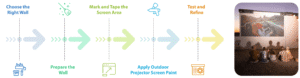
You can turn any reasonably smooth outdoor surface into an exterior projection screen with the Outdoor Projection Screen Paint by Smarter Surfaces. The application method is really simple and only takes a few steps. Let’s have a look at the step-by-step outdoor projector wall guide

Step 1: Choose the Right Wall

Select the appropriate wall forms for the foundation of your outdoor cinema project. The ideal wall should face away from street lighting and neighbouring windows to minimise light pollution during evening screenings. 

Examine the wall surface carefully for structural integrity. Brick, rendered concrete, and smooth exterior walls typically provide excellent bases for projector screen paint. The wall should be relatively flat—significant bumps or deep texture will create shadows and distort your projected image but the surface does not need to be perfect.

 Step 2: Prepare the Wall

Thorough wall preparation determines the longevity and quality of your outdoor screen. Begin by cleaning the entire surface with a pressure washer or garden hose, removing dirt, moss, and any loose debris. Allow the wall to dry completely—this may take 24-48 hours, depending on weather conditions and wall construction.

Inspect for cracks, holes, or damaged areas that require attention. Fill small cracks with exterior-grade filler and sand smooth once dry. Scrap any loose or rough masonry.

Step 3: Mark and Tape the Screen Area

Measure and mark the area you want to paint based on your projector’s specifications and viewing distance. 

Common aspect ratios include:

  • 4.5 m2 : 120” / 320cm at 16:9 Aspect Ratio
  • 13.5 m2 : 220” / 559cm at 16:9 Aspect Ratio
  • 25 m2 : 301″ / 764.5cm at 16:9 Aspect Ratio

Apply a high-quality White Primer, suitable for your wall material. This crucial step ensures optimal paint adhesion and provides a uniform base colour. Exterior projector screen paint works best over white primer. 

Step 4: Apply Outdoor Projector Screen Paint

Quality exterior projector screen paints are formulated to reflect projected light while absorbing some ambient light, improving image clarity and colour accuracy compared to standard wall paint. Read this Outdoor Projection Screen Paint instructions thoroughly before beginning application.

Most outdoor projector screen paints require two or three thin coats rather than one thick application. Use a high-quality synthetic brush or short-nap roller designed for smooth finishes.

Stir paint thoroughly before use. Apply 2 coats, allowing the first coat to dry before applying the second coat.

Step 5: Test and Refine

Once your paint has fully cured—around 24 hours after the final coat—conduct thorough testing with your projector. Set up your equipment during both daylight and evening conditions to assess performance across different lighting scenarios. Pay attention to image uniformity, colour accuracy, and any areas where the surface may not reflect light evenly.

Note your projector settings for optimal image quality, including brightness, contrast, and colour temperature adjustments. These settings may differ from those used indoors due to the unique properties of projector screen paint and outdoor viewing conditions.

Ready to upgrade your experience? Shop Smarter Surfaces’ top-rated products today.

[siteorigin_widget class=”SiteOrigin_Widget_Image_Widget”][/siteorigin_widget]
[siteorigin_widget class=”SiteOrigin_Widget_Button_Widget”][/siteorigin_widget]
[siteorigin_widget class=”SiteOrigin_Widget_Image_Widget”][/siteorigin_widget]
[siteorigin_widget class=”SiteOrigin_Widget_Button_Widget”][/siteorigin_widget]
[siteorigin_widget class=”SiteOrigin_Widget_Image_Widget”][/siteorigin_widget]
[siteorigin_widget class=”SiteOrigin_Widget_Button_Widget”][/siteorigin_widget]

How To Use an Outdoor Projector Screen for gardens – Daytime and Night

Outdoor home theater ideas represent just the beginning—as you gain experience with your installation, you’ll discover opportunities for enhancement through improved audio systems, comfortable seating arrangements, and seasonal decorations. Be careful while transforming your area into a fun outdoor screen. Here are some tips for you:

1. Daytime Viewing Strategies

Position seating to face away from the sun, reducing glare on the screen surface. Consider temporary shading solutions like parasols or gazebos to improve viewing conditions. An outdoor projector screen in daylight viewing works best during overcast conditions or in naturally shaded areas.

2. Evening Optimisation

Wait until twilight for the best viewing experience—complete darkness isn’t necessary, and some ambient light actually enhances perceived image quality. Position any necessary lighting behind viewers to avoid screen reflection and get a quality projector screen for backyard.

3. Weather Monitoring

Keep an eye on weather forecasts and have contingency plans for sudden weather changes. Light rain won’t immediately damage your screen with projector wall paint for outdoors, but your projector and electronics require protection.

4. Ambient Light Management

Use strategic landscaping or temporary screens to block unwanted light sources. Even distant street lighting can impact image quality on your outdoor wall paint for projection screen. So consider your environment holistically.

Safety Tips for The Best Outdoor Projector Screen Setup

Safety Tips for The Best Outdoor Projector Screen Setup

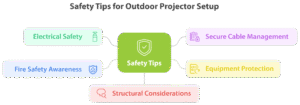
The investment in proper outdoor projector screen paint and careful application techniques provides superior image quality, weather resistance, and long-term durability. Let’s look at the safety tips:

 1. Electrical Safety

Use weatherproof electrical connections rated for outdoor use. Install residual current devices (RCDs) to protect against electrical faults, and keep all connections elevated and protected from moisture.

2. Secure Cable Management

Route cables safely to prevent tripping hazards. Use bright tape or cable protectors where cables cross walkways, and secure loose cables that might be caught by wind.

 3. Equipment Protection

Invest in weather-resistant covers for your projector and audio equipment. Even brief exposure to moisture can damage sensitive electronics, so prepare for sudden weather changes.

4. Fire Safety Awareness

Maintain clear evacuation routes and keep fire safety equipment accessible. Hot projector lamps and electrical equipment pose fire risks, especially during dry conditions.

5. Structural Considerations

Ensure that the mounting hardware is properly rated for outdoor use and wind loads. Regularly inspect mounting points for signs of wear or loosening.

Benefits of Having a Projector Wall Paint For Outdoors

Benefits of Having a Projector Wall Paint For Outdoors

Having an outdoor projection screen wall can offer several benefits for various activities and events. Here are four advantages:

1. Entertainment and Movie Nights
Outdoor projection screen paints are perfect for hosting movie nights, whether it’s for family gatherings, friends, or larger community events. You can enjoy your favourite films under the open sky, creating a unique and immersive cinematic experience with an authentic movie theatre feel.

2. Sports and Gaming Events
You can host an outdoor entertainment screen for major sporting events or set up gaming consoles for multiplayer gaming sessions. The large screen size and outdoor setting make it ideal for action-packed games and sports events.

3. Social Gatherings and Events
You can use outdoor screens for karaoke nights, live music performances, outdoor home theater ideas, or even display photo slideshows at weddings and other celebrations. The outdoor setting provides a more open and dynamic space for social events.

4. Educational and Presentational Uses
Projector wall paint for outdoors is also useful for educational and business purposes. They can be used for outdoor classes, workshops, or presentations. This is beneficial for institutions and businesses that want to utilise outdoor spaces for teaching or conveying information.

If you have an outdoor wall that you think will make an excellent projection screen but are unsure what paint to get or how much to buy, book a free video consultation. Show us your space, and our projection experts will help you get the right product for your needs.

Key Takeaway

Creating the best screens using projector wall paint for outdoors represents an affordable, effective way to establish your own garden cinema. This project combines practical DIY skills with technical knowledge to produce professional-quality results that enhance your outdoor living experience.

This blog has discussed how to make an outdoor projector screen a success thoroughly. It depends on careful planning, quality materials, and attention to detail throughout the installation process. From selecting the optimal wall location

[siteorigin_widget class=”WP_Widget_Custom_HTML”][/siteorigin_widget]
EPIC Museum: Transforming Heritage with Projection Mapping

EPIC Museum: Transforming Heritage with Projection Mapping

EPIC, the Irish Emigration Museum, located in the heart of Dublin is a beacon of cultural heritage and innovation in Ireland. The museum has been awarded Europe’s Leading Tourist Attraction for three consecutive years: 2019, 2020 and 2021, using projection mapping to enhance visitors’ visits and create an immersive experience.

Projection Mapping at EPIC Museum

EPIC has twenty immersive display galleries and explores the narrative of Irish emigration, studying its global cultural impact. The museum is housed within the historical setting of a former customs warehouse, which has been restored to host this innovative and modern exhibition space.

Smarter Surfaces create innovative surface solutions that promote both collaboration and immersive environments. Our range of projector paints are specifically designed to transform any wall into a high-quality projection surface. They were chosen to transform the way stories are told within exhibit spaces. The collaboration between EPIC and Smarter Surfaces aimed to go beyond traditional display limitations, setting a new standard for projection mapping immersive visitor experiences.

Telling Stories in a Unique Space

The EPIC Irish Emigration Museum had a unique challenge. They needed to tell a story and create a truly engaging, immersive experience for their visitors. Traditional screens posed limitations in size and interactivity. This was restricting the museum’s ability to present their stories in the compelling manner they envisioned. The goal was to transform the way visitors interacted with the exhibits through projection mapping, using our projection paints.

As EPIC Museum is housed within an historical structure, we needed to preserve the integrity of the surroundings. At the same time we needed to integrate modern technology. EPIC were looking for a solution that could blend seamlessly with their exhibits. It also needed to get around the constraints imposed by conventional display screens and projectors.

The aim was to create a continuous, uninterrupted visual flow throughout the galleries. This would allow the stories of Irish emigration to naturally unfold within the spaces.

Smarter Surfaces’ Solution

In response to these challenges, the museum turned to Smarter Surfaces. Our cutting-edge projector paints offer an innovative solution for projection mapping. EPIC wanted to use our specially formulated paints to convert the walls of the exhibition space into expansive, high-definition projection mapping surfaces.

Smarter Surfaces product range includes our Ultra High Contrast Projector Screen Paint. It is engineered to enable high-quality projections on any surface and was an ideal fit for EPIC’s requirements. It meant that any area of the museum’s galleries could become a dynamic canvas to tell the story of Irish emigration. The paint can support superior image quality, up to 4k, and wide viewing angles to create the desired immersive experience.

The implementation process involved an application of the projector paints onto the museum’s unique wall surfaces. This required a tailored approach due to the intricate nature of the historical building’s interior architecture. The Smarter Surfaces team worked closely with the museum’s exhibit designers to ensure that the application of the paint would serve its functional purpose for projection mapping, but also maintained the presentation of the exhibits and the space.

This innovative solution provided by Smarter Surfaces enabled EPIC to surpass the limitations of screen size and aspect ratios, offering a versatile and engaging medium that brings the tales of Irish emigration to life. The result was a series of interactive displays that allowed visitors to step into a world where history and technology converge, offering a sensory-rich educational experience.

Projection Mapping at EPIC Museum

Surface Setup for Projection Mapping

Measure & Mark: We began by accurately measuring the area intended for the application of the projector paint. After determining the dimensions for the projection mapping areas, any parts not to be painted were masked.

Preparation: Any parts of the exhibit that weren’t being painted were covered. Then, the museum’s walls were prepared to ensure the optimal application of the projector paint. This stage was crucial to achieve a smooth finish that would not distort the projected images. Any imperfections on the surfaces were filled and sanded to create a smooth and flat surface.

Application: Smarter Surfaces’ team then proceeded with the application of the Ultra High Contrast Projector Screen Paint. This paint was selected for its superior reflective qualities and compatibility with the museum’s various lighting conditions to ensure optimal projection mapping.

Calibration: Following the application, we tested and calibrated the installation. EPIC employees state-of-the-art projectors, and the positioning was fine-tuned to maximise the impact of the images and to ensure the projections were clear, bright, and vibrant from every angle of the room.

Integration: The final step involved integrating the new projection surfaces into the museum’s existing exhibition design. This included adjusting the visual content to fit the unconventional shapes and sizes of the painted walls, ensuring a seamless blend between the projection mapping and the physical environment.

Outcome

The outcome of integrating Smarter Surfaces’ projector paints at EPIC The Irish Emigration Museum was immediate. Visitors to the museum were greeted with the large-scale, high-definition projections that bring the history of Irish emigration to life. The innovative use of Smarter Surfaces technology provided a canvas that is more expansive and interactive for projection mapping when compared to traditional display methods.

The museum’s exhibitions were transformed into a continuous visual journey, without the breaks and limitations of physical screens. This immersive experience allowed the stories, images and data to be presented in a manner that was both educational and engaging. Feedback from visitors was overwhelmingly positive, with many expressing amazement at the seamless integration of visual technology into the historical space.

The flexibility of the projection paint means that EPIC can now update and change their projection mapping without being constrained by the size or shape of digital displays, ensuring that the museum remains at the cutting edge of exhibition design.

Future Spaces

The successful collaboration between EPIC The Irish Emigration Museum and Smarter Surfaces has demonstrated that innovative solutions can be seamlessly integrated into heritage environments. The application of Smarter Surfaces’ projector paints at EPIC has not only enhanced visitor engagement but has done so while preserving the historical essence of the museum’s space.

EPIC’s forward-thinking strategy provides a blueprint for how museums and educational spaces can leverage advanced technologies to their advantage. The versatility of Smarter Surfaces’ projection paints present numerous possibilities for its application. These projection paints can overcome traditional spatial constraints, offering new ways to create interactive and compelling narratives within any environment. Architects and designers now have the tools to build with interactivity in mind, envisioning spaces that are built to actively engage people.

At Smarter Surfaces, we think our partnership with EPIC is a testament to the value that our products can bring to exhibition design. Institutions can present their content in novel ways that engage, educate, and endure in the memories of their audiences. It’s not just limited to the heritage sector. Corporate offices, educational facilities, and even retail spaces can adopt this technology to enhance their environments, making walls and surfaces a dynamic element of their interaction with visitors, customers, and employees.

Get In Touch with Us

The product advisors and industry experts at Smarter Surfaces are ready to answer any question you may have regarding whiteboard paints, magnetic paints, wallpapers, and projection paints.

You can book a free video consultation with us where you show us the wall you want to transform, talk to us about your goals, and we will help you find the most effective products for the purpose.

Classroom Projector Screens: The Pros And Cons

Classroom Projector Screens: The Pros And Cons

Educators are always looking for better ways to introduce topics and present information to their students. In the early days of widespread public education, chalkboards were adopted as a convenient way to present ideas to groups both large and small, and to a large extent, this method has stood the test of time.

There have been many improvements since those days, both in presentation and in student note-taking. Innovations from ballpoint pens and notepads to computer labs, the internet, and virtual classrooms have all added to the learning experience.

Classroom Projector Screens

Among the many improvements, one of the most impactful has been the use of projectors as an efficient way to display a large body of information quickly and easily to a group audience. The introduction of modern interactive projectors has been a significant step forward in the technology which has had a meaningful impact on pupil engagement.

But has the humble classroom projector seen its best days? With high-tech educational solutions coming thick and heavy upon us with the internet of things, virtual reality, and more, will it go the same way as chalk on slate, inkwells, and quill pens?

Today we take a look at the stark reality facing educators who use this technology daily and the companies that produce and maintain it.

A brief history of classroom projectors

It is not so long ago that a classroom projector usually meant an overhead projection device that displayed visuals onto a screen via transparencies. The transparencies displayed class notes, images, and other materials that were annotated on the fly in front of the class with a giant shadow hand appearing on the screen to do the editing.

As crazy as it sounds, the use of projectors in education goes back to the 1800s. The earliest incarnation of the projector was the 'Magic Lantern' of the late 19th century which used candles and lamp oil to project images from glass slides. These were used by magicians and entertainers as well as those giving lectures to audiences.

With advances in film technology in the 1920s filmstrip projectors began to play a more significant role in education. Variations of this technology were popular until the 1980s. The light source comes from within the device itself and projects images from film slides. A dial allowed the operator to bring the images into sharp focus.

In the 1960s the overhead projector made its appearance and provided a more interactive alternative to the traditional slide projector. Nevertheless, both technologies still have their uses and continue to be used side by side.

The 1980s then bring us into the modern era. Digital classroom projectors allow educators to integrate the advances of television and computer technology into the classroom. This new generation of projectors delivers content from a PC or other device directly onto the screen in real-time.

The benefits of projectors in the classroom

Projectors of all kinds share characteristics that still make them highly functional in the classroom compared to a simple whiteboard or chalkboard. Here are just some of the reasons why educators love this technology.

  • Detailed reproduction of visuals
  • Notes are prepared in advance versus writing them on a board
  • Digital content can be updated and edited on the fly
  • Content can be presented to large numbers of people at the same time
  • Engaging, immersive content at your fingertips
  • Easy to integrate with the latest technology for educational purposes

What are the options for modern classroom projectors?

The main manufacturers of modern projectors include companies like Epson, Optoma, BenQ, Crenova, GooDee, and even Amazon with its low-cost alternative, the Firestick. ( insert links but that open in new window so not to remove traffic)All of these solutions provide direct access to a computer with 1080p HD quality visuals, WiFi and Bluetooth, color contrast ratios into the thousands and tens of thousands, and lamps that last for thousands of projection hours.

The costs vary wildly from the super low-cost Firestick currently at well below a hundred dollars at time of writing, to high-end industrial strength long-life options such as the Optoma EH335 projector that bring us into the thousands of dollars.

All of these options have their pros and cons. Whatever one you decide to choose will still require a good-quality projection surface to make a difference in your classroom.  If the screen that comes with the projector is substandard in any way, the specs on your brand-new device won't count for very much at all.

The disadvantages of legacy classroom projector screen solutions

While projector technology continues to be a valuable tool in education, its value has always been subject to certain inherent limitations. As every teacher knows, a projector is only ever as good as the surface it displays on.

Here are some of the main downsides of traditional projector screens.

  • Projector screens are limited in size
  • Screens are not typically writable limiting you to the keyboard and mouse of a computer or to zero interactivity at all
  • Presenters depend heavily on the source device, usually a computer
  • Expensive screen solutions often deliver disappointing results
  • Screens break and need to be replaced at a cos
  • Installation can be costly and difficult
  • Lighting issues due to poor screen placement

Smarter Surfaces classroom projector screen solutions

When we set out to solve the problems of legacy whiteboards we wanted to make the solution as simple, intuitive, and low-cost as possible. To solve all of the above problems our designers needed to think, quite literally, outside the box. They questioned what would happen if they turned an entire wall into a screen instead.

If you've ever been present at the set up of a projector you'll know that the image tends to go all over the walls on the first try. Images and words are truncated and warped across uneven wall surfaces and borders with background colors blurring out relevant information. 

Our product engineers speculated what would happen if the whole wall was evenly coated in a specialized whiteboard projector screen paint. When we tried it out the results were nothing short of spectacular and since then we’ve been further refining our products to give the best results possible.

Here are just some of the incredible advantages of trading in your legacy projector screen solutions and upgrading your presentation game while keeping your existing projection equipment.

  • Expanded projection space to fill any surface no matter how large
  • Life-size and larger-than-life images, video, text, and animation
  • Writeable, erasable image surface
  • Easy and inexpensive to install, simply apply paint
  • Never breaks down, zero technical issues
  • Magnetic surface option available
  • Easily affix hard-copy images to the surface
  • Keep your existing projection equipment
  • Low-tech elegant solution
  • Works with every brand of projector
  • Anti-glare, hotspot-resistant surface
  • Transforms the classroom into a bright, open, interactive space
  • Simple to maintain, long-lasting

The bottom line is that while technology changes constantly, educators will always need to present information. We are a long way from replacing visual images on clean, even surfaces as the best medium for this exchange.

No matter how much or how little you spend on your projection equipment, you still need a surface to project onto, so why limit yourself to one small square of space?

Solutions for every classroom

We’ve talked a lot about paintable surface projection areas, but the possibilities don’t end there. While covering an entire wall from top to bottom is a terrific solution, sometimes the area you want to use is more evenly defined. Whiteboard Projection Wallpaper is an excellent way to put a durable surface in place.

If you plan to use only a small surface or a number of smaller surfaces such as desks and tables, Smart Self Adhesive Whiteboard Film can be a great option. Here are some of the great products you can choose from to customize any available surface to match your education needs. The option to add magnetic function in addition to the projection and whiteboard function is also an interesting tool in the modern classroom and has proven to be consistently popular in classrooms in recent times.

Smarter Surfaces Projector Screen Solutions

Product OptionBest For
Smart Semi Matt Whiteboard Projector Screen PaintAny brand of projector, any wall
Smart Whiteboard Projection Wallpaper – Low SheenWell-defined surface areas
Smart Self-Adhesive Whiteboard Film – Low SheenSmaller surface areas
Smart Magnetic Whiteboard Wallpaper – Low SheenMagnetic visuals on defined areas
Smart Magnetic Whiteboard Projector WallcoveringMagnetic visuals on unlimited areas
Smart Short Throw Projector Screen PaintShort throw projectors
Smart White Projector Screen Paint ProLow light and bright rooms
Smart Interactive Projector Screen PaintTouch projector screens

These are just our educational and office-based solutions and all can be used as standard whiteboard presentation areas in addition to their specialized function as projection screen surfaces.

Ready to learn more?

If you want to upgrade your projection space but don’t know where to start, get in touch with us today. Our dedicated, knowledgeable education advisors are on hand to offer free advice and to help you choose the best product for your needs.

Make sure tosign up for our free Education Hub for samples, discounts, and actionable tips on the use of projection equipment with Smarter Surfaces Whiteboard Projector Screen products.

Smarter Surfaces
Privacy Overview

This website uses cookies so that we can provide you with the best user experience possible. Cookie information is stored in your browser and performs functions such as recognising you when you return to our website and helping our team to understand which sections of the website you find most interesting and useful.